

Gran Turismo 2 (USA) (Arcade Mode)(453.0 MB)


Gran Turismo 2 (USA) (Arcade Mode)
Enjoy high-speed racing action in Gran Turismo 2 Arcade Mode for PS1. Drive licensed supercars on global tracks with immersive graphics and responsive controls.
What is Gran Turismo 2 (USA) (Arcade Mode)?
Gran Turismo 2 (USA) (Arcade Mode) is the immediate-access racing component of the groundbreaking PlayStation racing simulator. Unlike the expansive Simulation Mode, Arcade Mode lets you jump straight into high-speed action with pre-selected cars and tracks. This streamlined experience focuses on pure racing excitement, offering quick sessions perfect for testing your skills against AI opponents or competing head-to-head with a friend. Experience the realistic vehicle physics and impressive graphics that made Gran Turismo 2 a legendary title, all without the need for car collecting or tuning.
Game Features
• Massive Car Selection: Choose from hundreds of accurately modeled licensed vehicles from major manufacturers • Diverse Racing Environments: Race on real-world tracks and challenging original circuits with dynamic weather conditions • Multiple Game Modes: Enjoy Single Race, Time Trial, Versus Battle, and Simulation Mode Lite • Advanced Physics Engine: Experience realistic vehicle handling, weight transfer, and tire physics • Split-Screen Multiplayer: Race against a friend in intense head-to-head competition • Progressive Difficulty: Face increasingly challenging AI opponents across multiple difficulty settings • Instant Replay System: Watch your best maneuvers and crashes from multiple camera angles • Super License Challenges: Test your skills against the toughest racing scenarios in special events
How to Play Gran Turismo 2 (USA) (Arcade Mode)?
- Select Your Mode: Choose from Single Race, Time Trial, Versus (2-player), or Simulation Mode Lite
- Pick Your Car: Browse through available vehicle classes including Sports, Race, and Specialty cars
- Choose Your Track: Select from various real-world and original circuits with different layout configurations
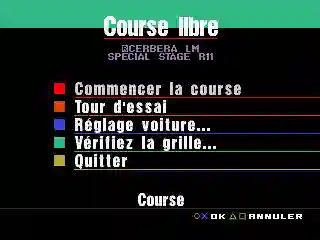
- Configure Race Settings: Set lap count, difficulty level (Beginner to Professional), and transmission type
- Race Control: Use the following PlayStation-style controls:
- Acceleration: Press and hold Up Arrow or W key
- Brake/Reverse: Press and hold Down Arrow or S key
- Steering: Use Left/Right Arrow keys or A/D keys
- Handbrake: Press Z key (A button equivalent)
- Gear Shift: Press X key for manual transmission upshift (B button equivalent)
- View Change: Use C key to cycle through different camera angles
- Pause Menu: Press Enter key to access game options
- Master Driving Techniques: Learn proper braking points, racing line optimization, and drafting techniques to gain competitive advantage
- Complete the Race: Finish in podium position to unlock additional cars and track variations
- Review Performance: Analyze your race statistics and lap times to improve your skills
Frequently Asked Questions
What's the difference between Arcade Mode and Simulation Mode? Arcade Mode provides instant access to pre-configured cars and tracks with simplified settings, while Simulation Mode features car acquisition, tuning, licensing tests, and career progression. Arcade Mode is designed for quick, accessible racing sessions.
How do I unlock additional cars in Arcade Mode? Additional vehicles are unlocked by winning races and completing special events. Higher difficulty levels and achieving gold medals in time trials will unlock rare and high-performance cars for use in Arcade Mode.
Can I save my progress in Arcade Mode? While Arcade Mode doesn't feature the extensive save system of Simulation Mode, your unlocked cars and track progress are maintained during your gaming session. For permanent unlocking across multiple play sessions, you would need to utilize the full game's save feature.